Showing posts with label Tutorial. Show all posts

Friday, January 29, 2010

Some divider for your blog ?

Here is the list of dividers you can use.
Here is how. 
(Please click on the image for bigger view.)


Step 1 : Please back up your template before you do anything to it ( Just in case only la ) see the "Download Template", just click on it to save it to your computer.
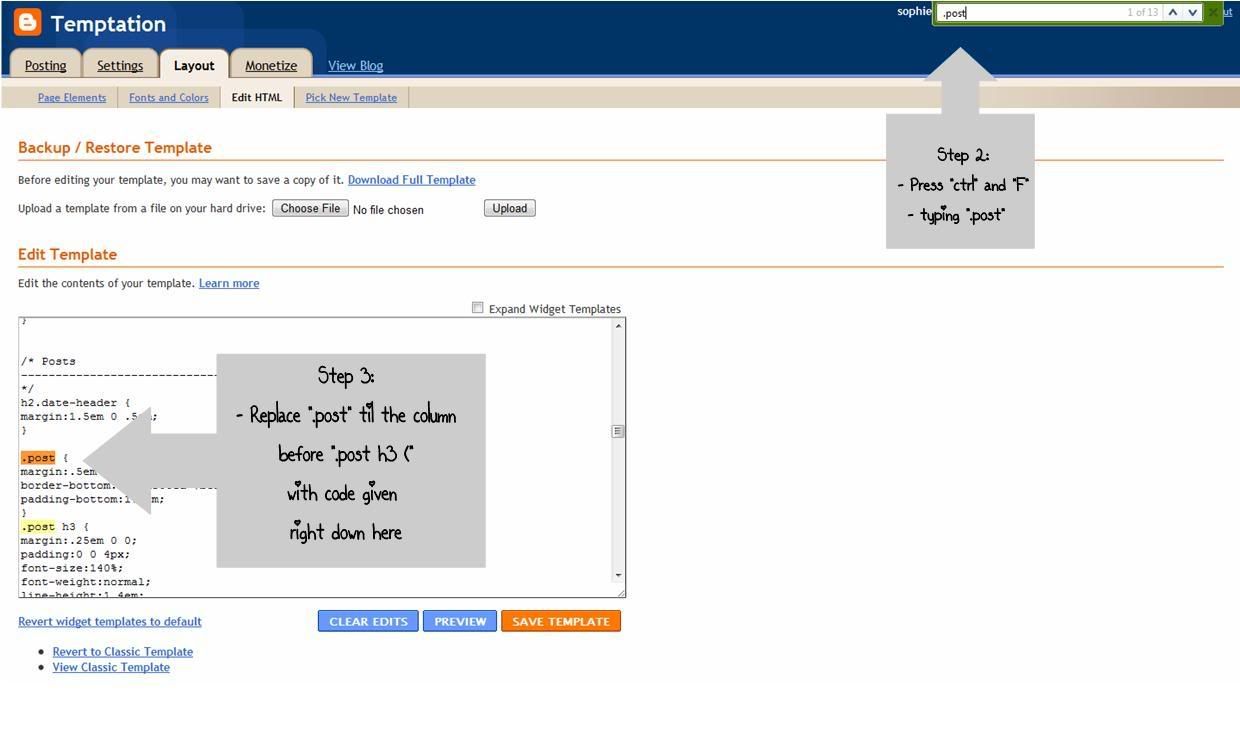
Step 4: replace the code with the code as below

.post {
background: url(You link code here);
background-repeat: no-repeat;
background-position: bottom center;
margin:.5em 0 1.5em;
border-bottom:0px dotted $bordercolor;
padding-bottom:5.5em;
}
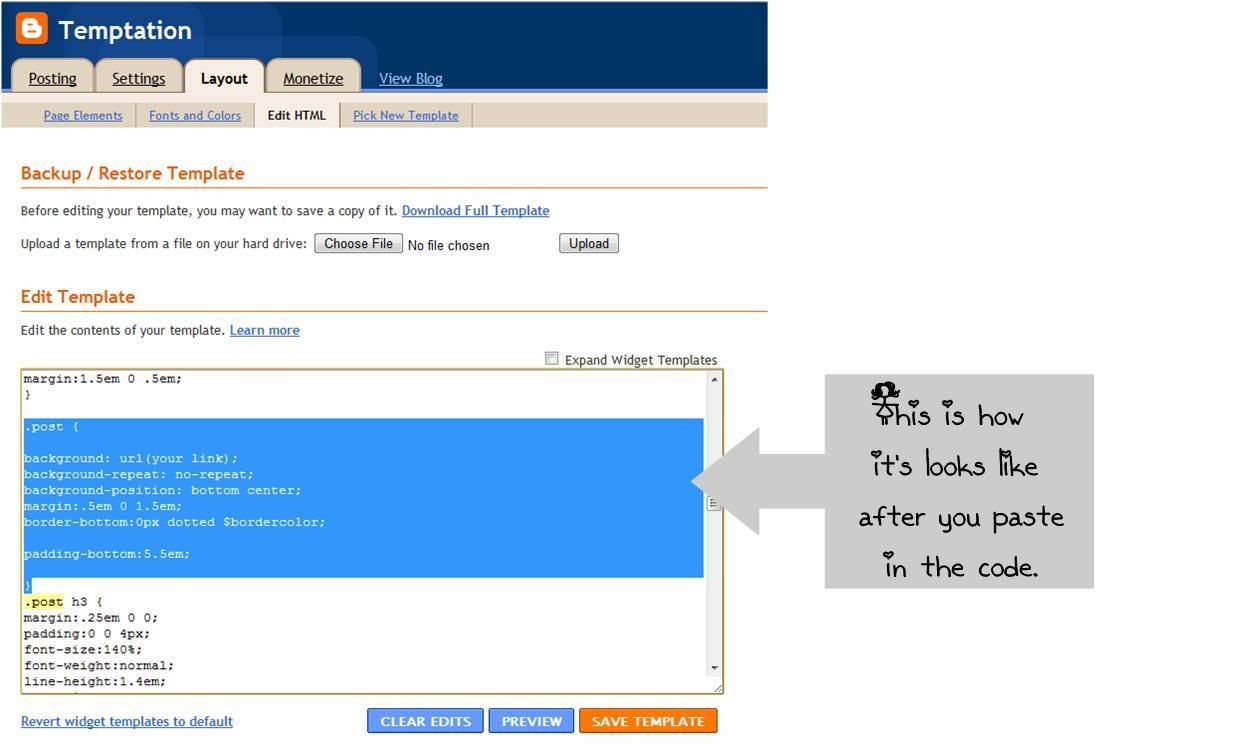


Step 5 : Now simply copy the code of the divider you like and paste it at the red ink part only, where it's like this "(You link code here)" .


Wednesday, January 27, 2010

Size Problem


I've noticed some of you have mentioned the size is "too big" or it cuts off on the sides". If you have this problem I may have the solution. On the internet Toobar there should be an option that says " page" scroll down where it says, "Zoom". Click on 100% or 75% and that will shrink your whole page so it's not so big and you can see the background. 
If you upgrade to internet explorer 8, when you shrink the page, it will also shrink the background with it. You can download it for free, just google it.


Hope that helps. 

Tuesday, January 26, 2010

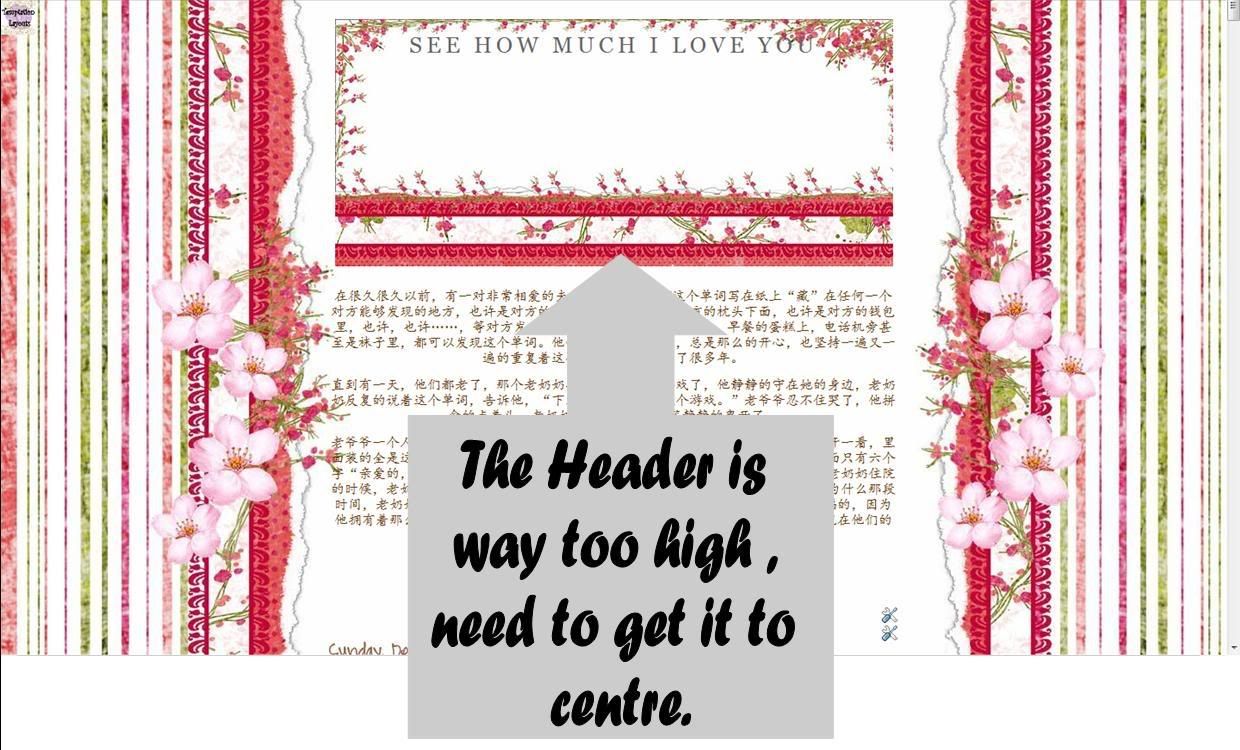
How to select the words to the centre of Header

This is for some user who having a problem like this.


So today, I'm going to show you how to select it to the centre of the header,
but first please "Download full template" before you making any changes to it.

Then you go to the layout > Edit HTML > press "Ctrl" and "F" on your keyboard then typing "#header h1"


Then look for the padding. Select it from 15px to 120px or any number to get the words to the centre of your Header.
Well done!


Good Luck!
and
Have a great day!
^-^